

We make two apps.
StudyFlow is a planner for students. FlyingLap Garage is a tracker for project cars. Both run in your browser, work offline, and keep your data on your own device.
No ads, no selling your data. FlyingLap Garage is live now.
Grizzly Studios is a small independent studio. We build both apps ourselves and use them ourselves, which is why they're shaped around the job rather than around a feature list.
StudyFlow
Plan your term, not just your week.
StudyFlow is a student planner that runs in your browser. Set up your timetable, including rotating cycle days and one-off schedule changes. Track assignments from not started through to graded. Run focus sessions that log themselves to the right course.
It's built for the way a term actually goes. Days that don't repeat neatly, a timetable that changes for one week only, and more deadlines than anyone can hold in their head.
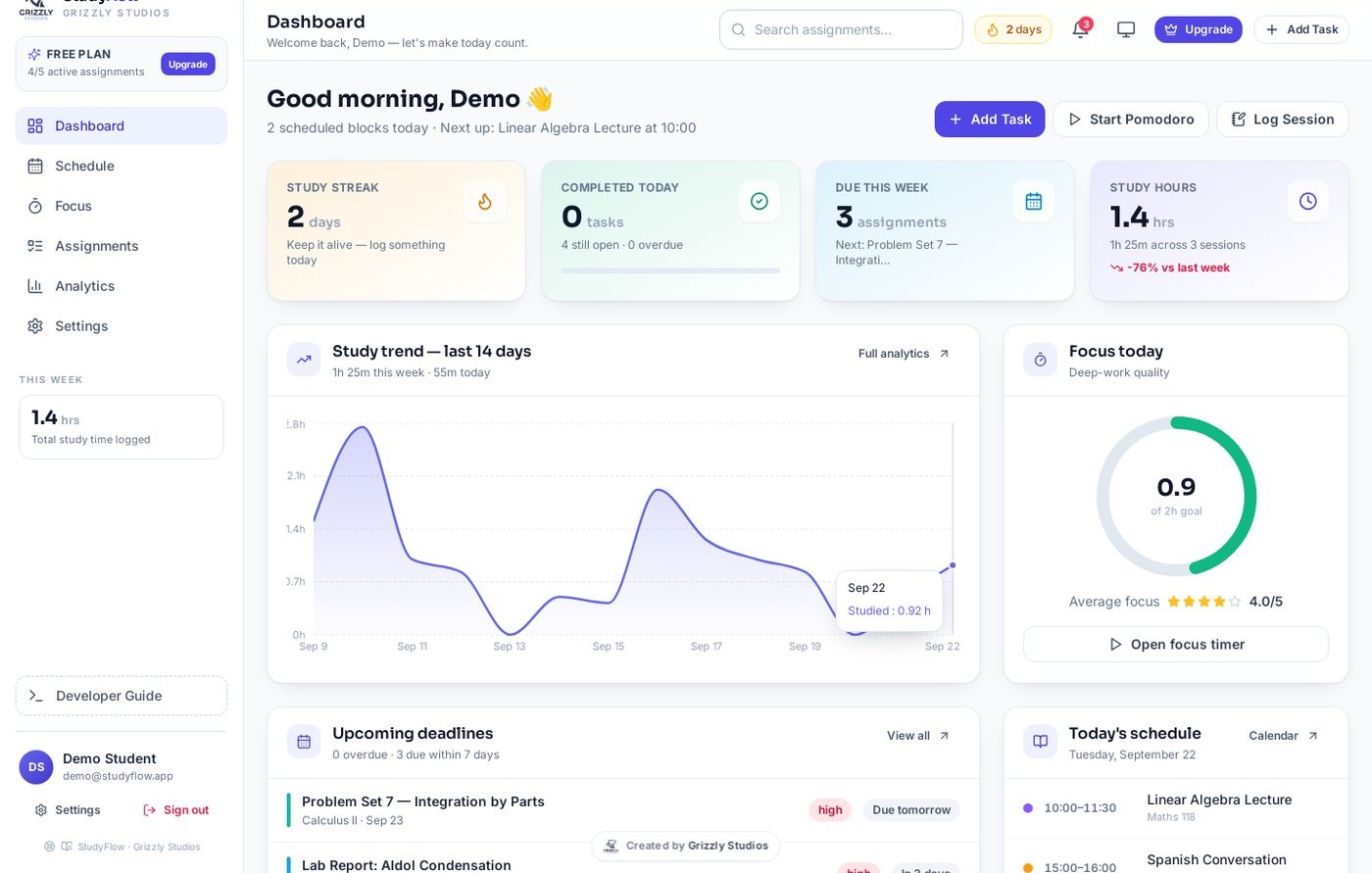
A timetable that matches your school
Classes repeat by weekday, or follow a rotating cycle of up to eight days. Days that don't match the pattern get their own times. You can also change a single date without disturbing the rest of the term.
Assignments on a board
Move work through Not Started, In Progress, Submitted and Graded by dragging it. Filter by subject, priority or due date. There's a table view underneath if you'd rather read a list.
A focus timer that keeps score
Set your work and break lengths, turn on a chime, and let it start the next phase by itself. Every session logs to the course you were working on, so your hours add up without you writing anything down.
Analytics you'll actually look at
A 14-day study trend, a heatmap of your whole term, your best and worst days, and your average focus rating. Enough to spot a pattern without turning revision into data entry.
Dark mode and colour themes
Pick a calendar theme and give each course its own colour. It follows through your timetable, your board and your charts, so you can find things at a glance. Dark mode for the late sessions.
Sync only if you want it
StudyFlow works with no account and no internet. If you want it on your phone as well as your laptop, connect your own Supabase project and sign in, or just export a backup file and carry it across yourself.
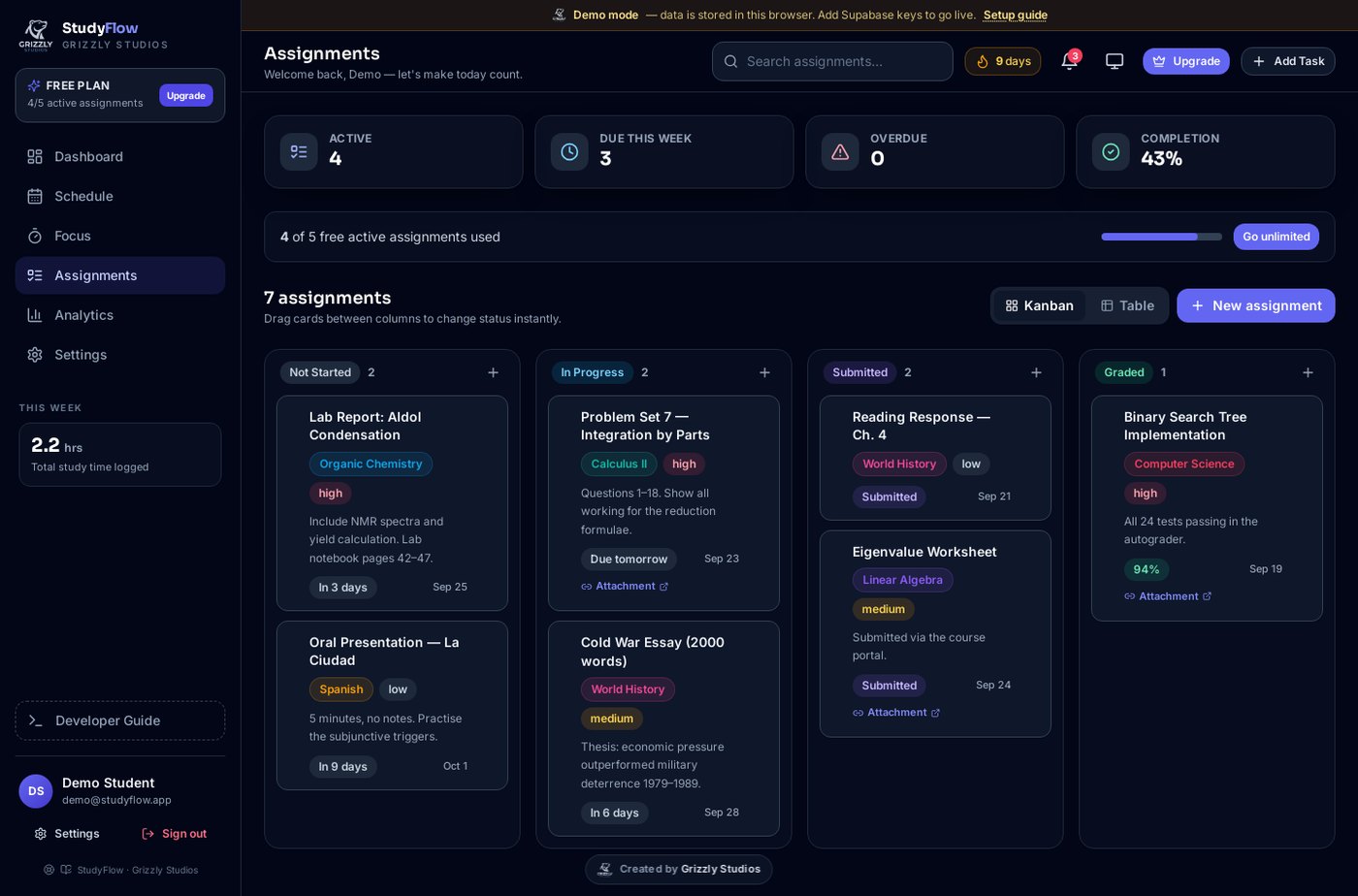
The assignment board. Drag between columns to change status.
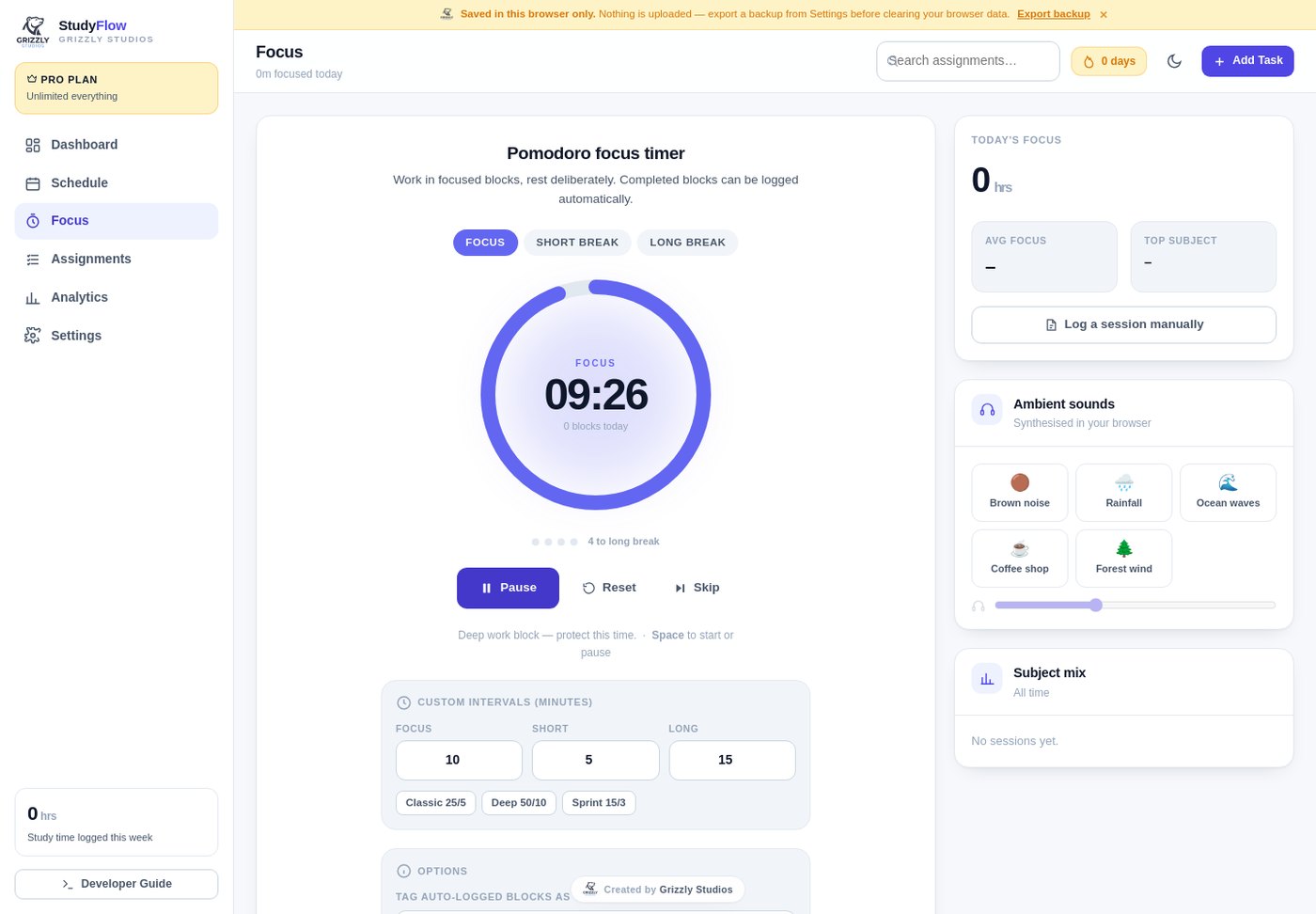
The focus timer. Sessions log to a course automatically.
What StudyFlow handles
- ✓Weekly and rotating timetables, by weekday or a cycle up to eight days long
- ✓Per-day overrides for days that don't match the pattern
- ✓One-off schedule changes applied to a single date
- ✓Course list you set up once and pick from everywhere else
- ✓Assignment board and table view with four status columns
- ✓Priority, due dates and grades, so you can record the mark when it comes back
- ✓Filters and search by subject, priority, status or free text
- ✓Overdue and due-soon alerts on the dashboard
- ✓Focus timer with configurable work and break lengths
- ✓Study sessions logged automatically against the right course
- ✓Ambient background sounds with volume control
- ✓Consistency heatmap covering your whole term
- ✓Study trend and focus rating, including your best and worst days
- ✓Dark mode, colour themes and per-course colours
- ✓Backup export and import as a plain file
- ✓Optional cross-device sync using your own Supabase project
- ✓Works offline with no account, exactly as described above
- ✓Full timetable with cycle days and overrides
- ✓Assignment board with all four statuses
- ✓Focus timer and session logging
- ✓Core analytics and dark mode
- ✓Backup export and import
- ✓No account needed
- ✓No cap on active assignments
- ✓Advanced analytics and full history
- ✓Custom calendar colour themes
- ✓Optional cross-device sync
- ✓Everything in Free
FlyingLap Garage
Track the build, the budget and the paperwork.
FlyingLap Garage keeps a project car organised. Log every part and mod with what it cost, where it came from and whether it's fitted. Track service intervals so maintenance doesn't sneak up on you. See what you've spent against what you planned to spend.
When you come to sell, export a build history that shows the buyer exactly what went into the car and when. That paperwork is usually worth more than people expect.
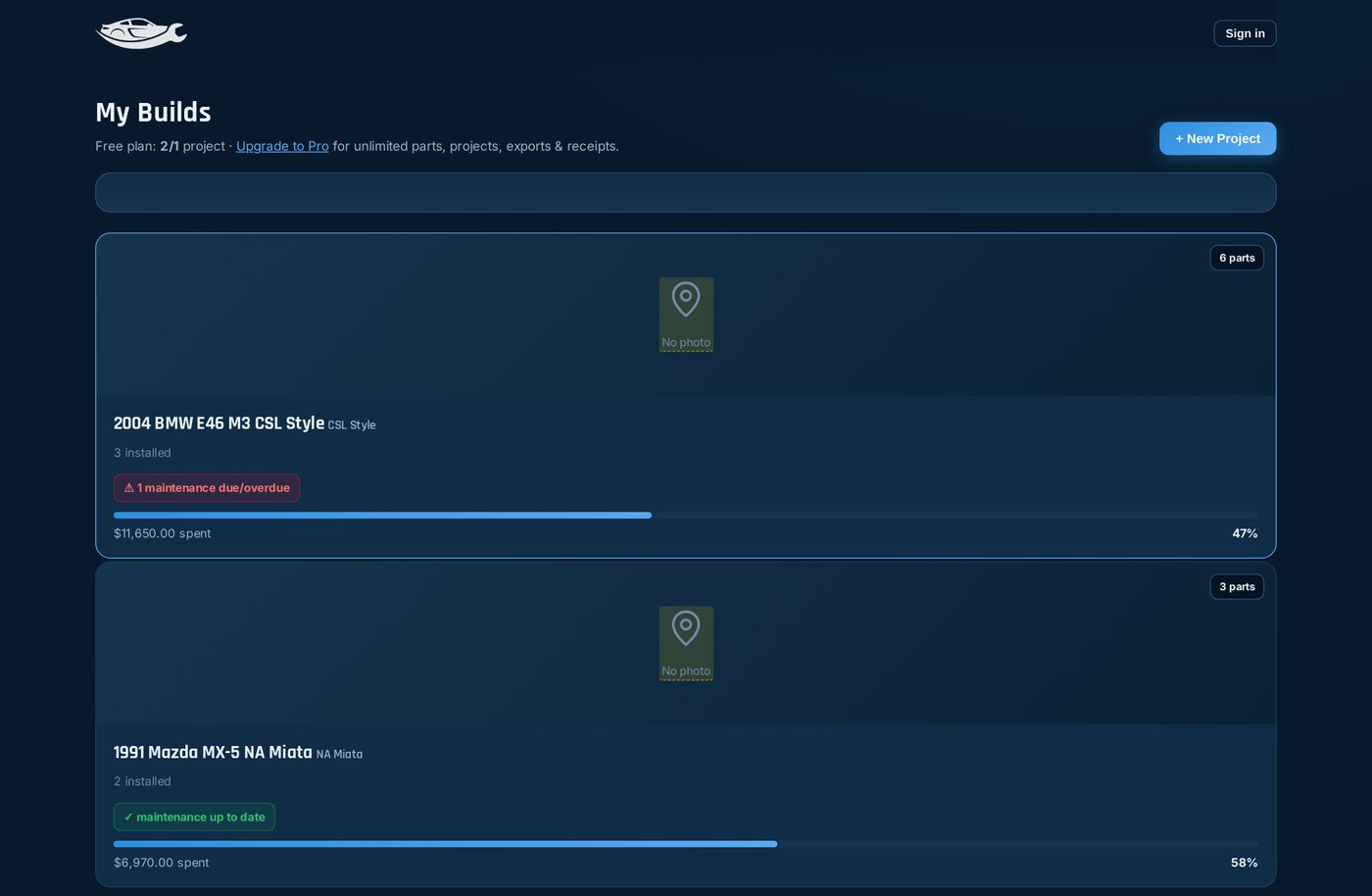
A profile for each car
Year, make, model, trim and photos, with every build in one place. The app includes a searchable make and model list, so setting up a car takes a few seconds instead of filling in a form.
Every part logged
Record parts and mods with cost, category, install status, supplier and notes. Mark each one planned, purchased or installed so you can see where the build actually stands.
Maintenance reminders
Set service intervals for each car and get told when something is due or overdue. The full service log can be edited or undone, so a mistake doesn't stay in the history.
Milestones
Group parts, maintenance and jobs into milestones like Suspension refresh or Track prep. Each one shows a live completion percentage, which makes a long build feel like it's moving.
Planning tools
A wishlist with priorities, order tracking for parts on the way, a DIY versus shop cost comparison, and task checklists for the jobs that aren't parts.
Budget and export
See what you've invested against your budget, broken down by category. Export a build history as PDF or CSV, or copy a summary to share with a buyer or a forum.
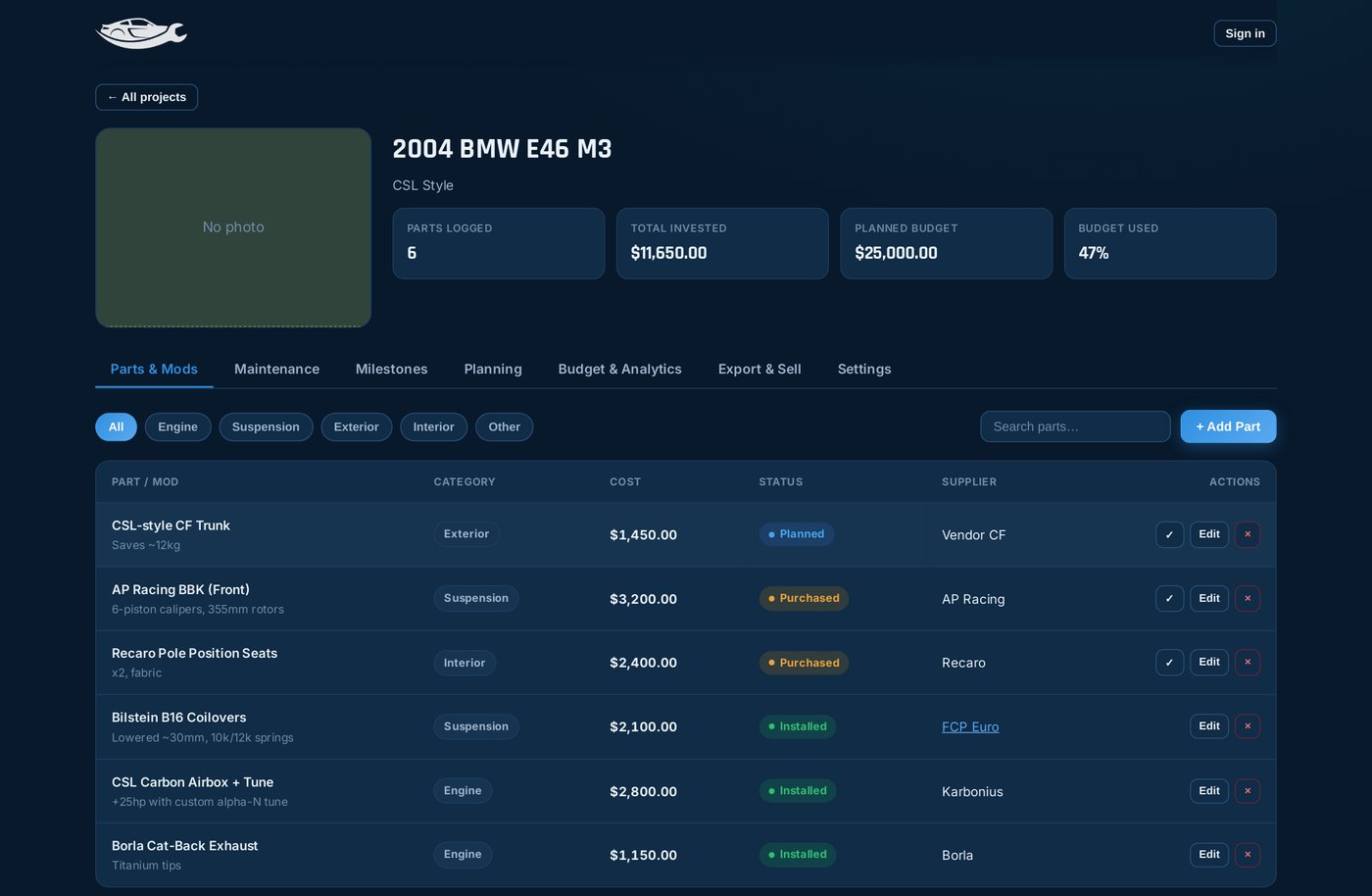
A single car's build, with parts, total invested and budget
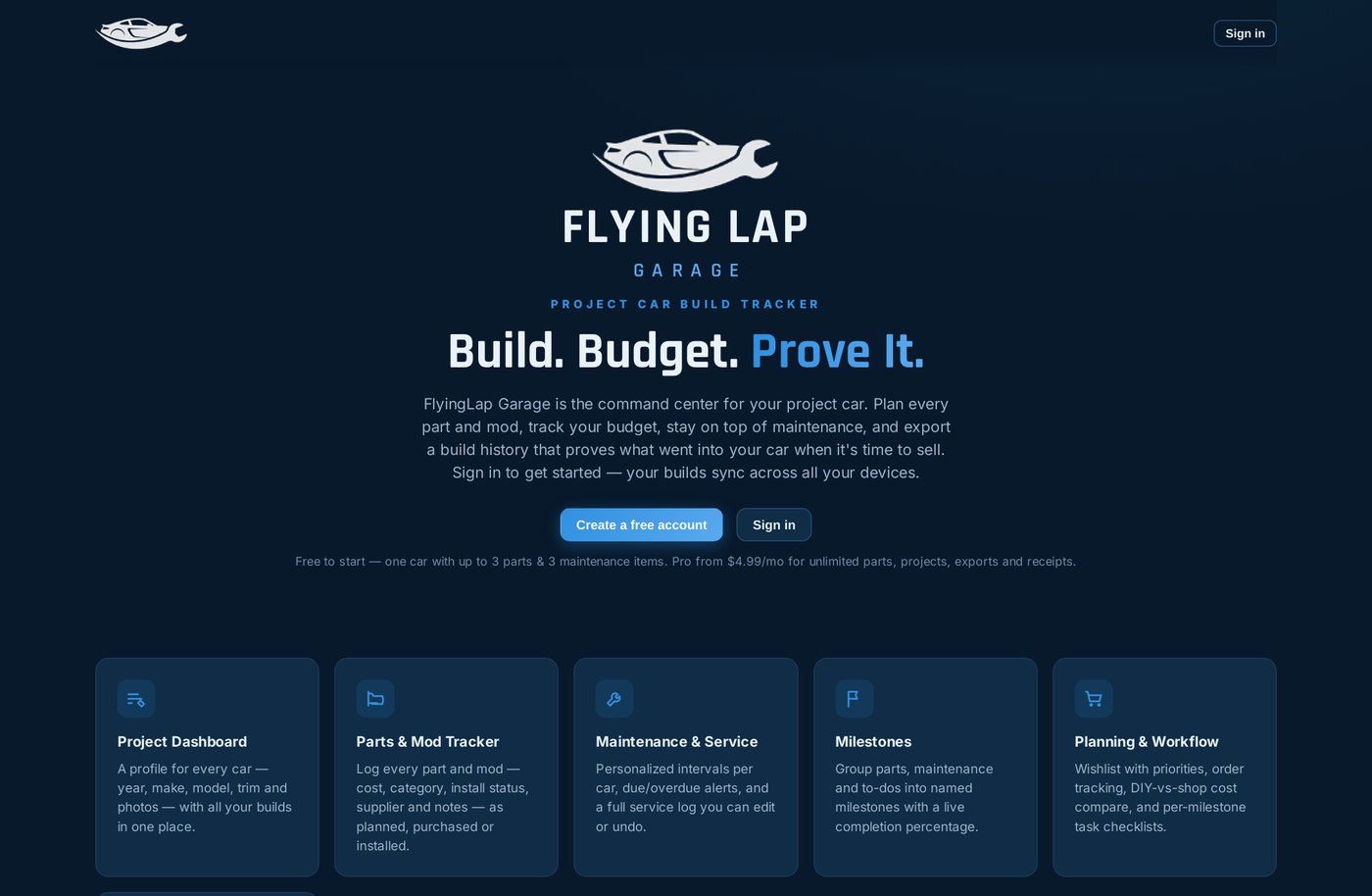
FlyingLap Garage's own front page
What FlyingLap Garage handles
- ✓Multiple cars, each with its own profile and photos
- ✓Searchable make and model list for quick setup
- ✓Parts and mod tracker with cost, category, status and supplier
- ✓Planned, purchased or installed status on every part
- ✓Service intervals per car, not generic ones
- ✓Due and overdue alerts on the dashboard
- ✓Full service log you can edit or undo
- ✓Milestones with a live completion percentage
- ✓Wishlist with priorities for planning the next round
- ✓Order tracking for parts that are on the way
- ✓DIY versus shop cost comparison
- ✓Task checklists for jobs that aren't parts
- ✓Invested versus budget with a category breakdown
- ✓Build history PDF you can print or send
- ✓CSV and shareable summary export
- ✓Receipt and document storage kept with the part
- ✓Backup export and import to move a build between devices
- ✓Cross-device sync so your builds follow you
- ✓One project, one vehicle
- ✓Up to 3 parts and mods
- ✓3 maintenance items
- ✓Full service log and history
- ✓Maintenance schedule with due and overdue alerts
- ✓Milestones and build progress
- ✓Budget and cost analytics
- ✓Unlimited projects
- ✓Unlimited parts, maintenance and service log
- ✓Build history export as PDF, CSV or a shareable summary
- ✓Wishlist, order tracking, DIY versus shop, task checklists
- ✓Receipt and document storage
- ✓Everything in Free
What's next
What we're working on.
Short on purpose. We'd rather finish things than keep a wishlist alive forever, so this only lists what we're actually working on.
StudyFlow
The full timetable engine with rotating cycle days, the assignment board, the focus timer with automatic session logging, analytics, dark mode and optional sync. Built and working, not yet released.
FlyingLap Garage
Multi-car builds, parts and maintenance tracking, milestones, planning tools, budget analytics and build history export, with Free and Pro plans. Running at flyinglapgarage.com.
Better sync setup
Making the optional sync path easier to get working. Clearer instructions, fewer ways to get it wrong, and a more forgiving first run for people who want their data on more than one device.
More useful exports
Richer build history documents for FlyingLap Garage and shareable term summaries for StudyFlow. The kind of thing you'd actually hand to a buyer, a parent or a tutor.
A third app
Another job we currently do badly ourselves. It's being mapped out at the moment, and it'll follow the same rules as the other two.
Questions
The things people ask us.
Can I use StudyFlow yet?
No, not yet. StudyFlow isn't released. It's built and working, and we're finishing it off before it goes live. FlyingLap Garage is available now at flyinglapgarage.com.
Do I need an account to use the apps?
It depends which app. StudyFlow is designed to work completely without one, and your data stays in your browser. FlyingLap Garage asks you to sign in, which is how your builds stay tied to you across devices. Sync in StudyFlow is optional and off by default.
Where is my data stored?
On your own device, in your browser's storage. Nothing is uploaded unless you turn on sync. Both apps have a backup export in their settings, so you can take your data with you as a plain file whenever you like.
What happens if I clear my browser data?
Locally stored data goes with it. That's the trade-off for keeping everything on your device rather than on our servers. Export a backup before you clear anything, then import it back afterwards.
Do the apps work offline?
Yes. FlyingLap Garage works with no connection at all, and StudyFlow is built the same way. The only things that need a connection are sync and the billing pages on paid plans.
How does cross-device sync work?
You connect the app to your own Supabase project by pasting two values from your project's dashboard. Your data is then tied to your account and shows up on every device you sign in on. It's opt-in, and you can disconnect at any time from inside the app.
What's the difference between Free and Pro?
Free is a complete single-user tool. In FlyingLap Garage that means one car with a limited number of parts and maintenance items. Pro removes those caps and adds the export and planning tools, like PDF build histories, wishlists, order tracking and DIY versus shop comparisons. StudyFlow's plans aren't live yet, since the app isn't released.
Can I cancel a Pro subscription?
Yes. Billing runs through Stripe and you can manage or cancel from the account section inside the app. You keep Pro until the end of the period you've paid for, then drop back to Free with everything you've entered still there.
Is this a big company?
No, it's small. The apps exist because we needed them, and they stick around because other people find them useful too.
Will you keep adding features to the apps I already use?
Only when there's a real reason. We treat a tool as finished once it does its job, so updates are small and occasional rather than a constant stream of change. Nothing you rely on gets redesigned for the sake of it.
Get in touch
Say hello.
Questions about either app, a bug you've found, or an idea for something we should build. Support, feedback and feature requests all land in the same inbox.